









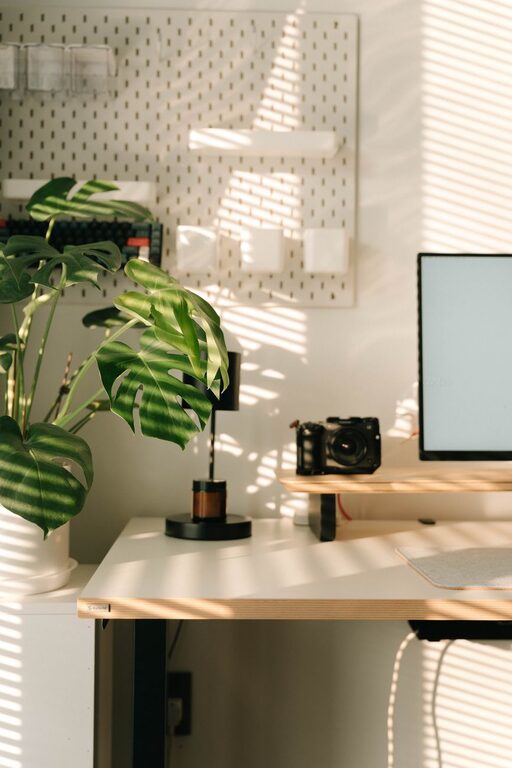
Setting up a productive home office space is crucial for anyone working remotely or managing tasks from home. A well-organized workspace can improve focus, reduce stress, and help you maintain a healthy work-life balance. Whether you have a dedicated room or a small corner, these tips will guide you in creating a home office that supports your productivity and comfort.
Choosing the Right Location
Find a Quiet Spot
Start by selecting a location that minimizes distractions. Ideally, this should be a quiet area away from household noise like TVs or busy family spaces. If you don’t have an extra room, use a partition or screen to separate your workspace.
Consider Natural Light
Good lighting can increase alertness and reduce eye strain. Try to position your desk near a window where you can benefit from natural daylight. If that’s not possible, invest in a quality desk lamp with adjustable brightness.
Organizing Your Desk
Keep Essentials Within Reach
Keep daily-use items such as your computer, notepads, pens, and phone close at hand. This reduces the need to constantly get up and break your flow.
Declutter Regularly
Remove unnecessary items that don’t serve your work purpose. A clean desk clears your mind and makes your workspace more inviting.
Use Desk Organizers
Consider trays, cups, or drawer dividers to store small items neatly. This prevents clutter and helps you find things quickly when needed.
Storage Solutions
Utilize Vertical Space
Wall shelves or pegboards can help keep supplies and reference materials off your desk while still being accessible.
File and Paper Management
Use filing cabinets or document organizers to handle papers. Label folders clearly by project or category to maintain order.
Digital Organization
Scan important documents and store files digitally to reduce paper clutter. Use cloud storage for easy access across devices.
Ergonomics and Comfort
Invest in an Ergonomic Chair
A good chair supports your back and promotes good posture, which is key for long work hours.
Desk and Monitor Height
Adjust your desk height so that your elbows are at a 90-degree angle when typing. Position your monitor at eye level to reduce neck strain.
Add Personal Comfort Items
A footrest, wrist pads, or cushions can make your workspace more comfortable and reduce fatigue.
Managing Time and Distractions
Set Boundaries
Define your working hours clearly and communicate these to your household members to minimize interruptions.
Use Timers and Breaks
Techniques like the Pomodoro method — working for 25 minutes then taking a 5-minute break — can enhance focus and prevent burnout.
Limit Non-Work Items
Avoid having televisions or unrelated gadgets near your workspace to reduce distractions.
Personalizing Your Space
Add Greenery
Plants not only improve air quality but also create a calming atmosphere that can boost creativity and reduce stress.
Include Inspirational Items
Photos, quotes, or artwork that inspire you can improve motivation and make your workspace enjoyable.
Choose Calming Colors
Soft, neutral tones tend to promote focus and calmness, while bright colors can stimulate creativity.
Maintaining Your Home Office
Daily Tidying
Spend a few minutes at the end of each day to tidy your desk and organize materials. This prepares you for a fresh start tomorrow.
Regular Deep Cleaning
Weekly or monthly cleaning routines to dust, wipe surfaces, and sort paperwork help maintain a healthy workspace.
Review and Adjust
Periodically assess your setup and make changes based on what’s working or what’s causing discomfort or inefficiency.
—
Designing a productive home office doesn’t require a large budget or space. By thoughtfully organizing your environment, you can enhance your efficiency and create a comfortable, enjoyable place to work. Start by picking the right location, organizing your tools, and considering ergonomics, and you’ll find that your productivity and work satisfaction improve significantly.