

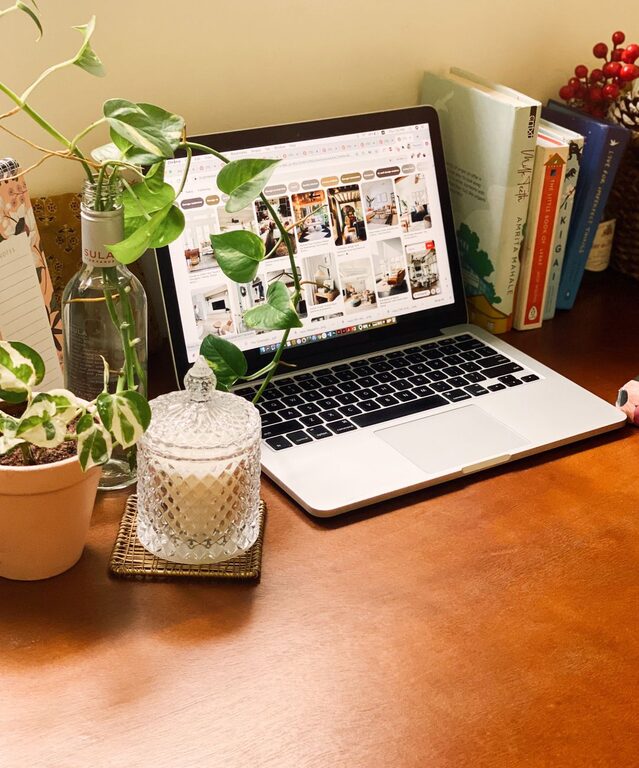
Creating a cozy and inviting home workspace is essential for staying productive, focused, and comfortable during your work hours. Whether you’re working remotely full-time or occasionally need a spot to concentrate on personal projects, having a well-designed area can make a significant difference in your daily routine. In this post, we’ll explore practical tips to help you transform any corner of your home into a welcoming and efficient workspace.
Choose the Right Location
The foundation of a cozy workspace starts with selecting a suitable spot in your home.
– Natural Light: Aim for an area with plenty of natural light, such as near a window. Natural light improves mood and reduces eye strain.
– Minimal Distractions: Find a quiet corner away from household noise, especially if you share space with family or roommates.
– Space and Size: The workspace should be large enough to accommodate your essential tools (desk, chair, computer) without feeling cramped.
Invest in Comfortable Furniture
Comfort is key when setting up a workspace where you’ll spend several hours each day.
– Ergonomic Chair: A chair that supports your back and encourages good posture can prevent discomfort and improve focus.
– Desk Height: Choose a desk at the right height for you or one that adjusts to provide flexibility between sitting and standing.
– Additional Seating: Consider a small lounge chair or cushion if you want a place to brainstorm or read away from your desk.
Incorporate Soothing Colors and Decor
Colors and decor can greatly affect your mood and creativity.
– Color Palette: Use warm, neutral tones like soft beige, light gray, or pastel shades for a cozy vibe. Add pops of color for visual interest.
– Personal Touches: Display items that inspire you, such as photos, art, or meaningful objects, but avoid cluttering the space.
– Plants: Adding greenery not only improves air quality but also creates a calming atmosphere.
Organize and Declutter
A tidy workspace makes it easier to concentrate.
– Storage Solutions: Use shelves, drawers, or baskets to keep supplies organized and out of sight.
– Desk Essentials Only: Limit what stays on your desk to necessities like your computer, notebook, and a lamp.
– Cable Management: Use clips or ties to tidy up cords and avoid a messy look.
Optimize Lighting
In addition to natural light, good artificial lighting ensures comfort and clarity.
– Task Lighting: Use a desk lamp with adjustable brightness to reduce glare on screens and books.
– Ambient Lighting: Soft overhead or floor lamps can provide a warm background glow.
– Avoid Harsh Fluorescents: Stick to bulbs with a warm or neutral color temperature to avoid eye fatigue.
Add Comfort with Textiles
Soft materials help make your workspace inviting.
– Rugs: A small area rug can define your workspace and add warmth.
– Throw Blankets and Cushions: These add comfort and a cozy feel to chairs or nearby seating.
– Curtains or Blinds: These help control natural light and contribute to the overall aesthetic.
Personalize Your Productivity Tools
Make your daily tasks more enjoyable by personalizing what you use.
– Stationery: Choose colorful pens, notebooks, or organizers that you enjoy.
– Tech Accessories: Use fun or stylish mousepads, keyboard covers, or phone stands.
– Inspiration Board: Pin motivational quotes, goals, or project ideas to keep you energized.
Maintain a Healthy Routine
A cozy workspace also supports your well-being during the workday.
– Break Areas: Set aside a spot nearby where you can take short breaks without distractions.
– Movement: Incorporate stretches or simple exercises between tasks to reduce stiffness.
– Hydration: Keep a water bottle close to stay hydrated.
Final Thoughts
Designing a cozy and inviting home workspace doesn’t have to be complicated or expensive. By focusing on comfort, organization, natural light, and personal touches, you can create an environment that boosts both your mood and productivity. Evaluate your needs, experiment with different arrangements, and enjoy the process of making a workspace that feels just right for you.